





- Posted by:
- Posted on:
- Category:
BeamNG.driveBeamNG.drive - System:
Unknown - Price:
USD 0
The AI feature allows the Artificial Intelligence to take over one or more vehicles, and drive using several different modes.
This articles introduces its fundamentals and use.
Activating AI
AI can be accessed and activated in different ways:
- Radial Menu
- AI Control App
- Traffic App
Radial Menu
The Radial Menu offers the easiest way to access most of the AI features.
This menu will appear when opening the sidebar, by default, with the ESC key.
Then navigate to the AI button, and from there all AI modes can be activated by simply clicking the corresponding slice.

Modes like Chase, Flee, Follow, Random will be applied to all available vehicles except the player’s one.
Some AI modes will appear only if more than one vehicle has been spawned
The Traffic section will open a submenu that enables you to quickly spawn and manage traffic vehicles:
Spawn (Normal)to create traffic with a typical group of vehiclesSpawn (Police)to create traffic that includes a few police vehiclesStart Trafficto enable traffic mode for all other vehicles, including ones that you manually spawned in
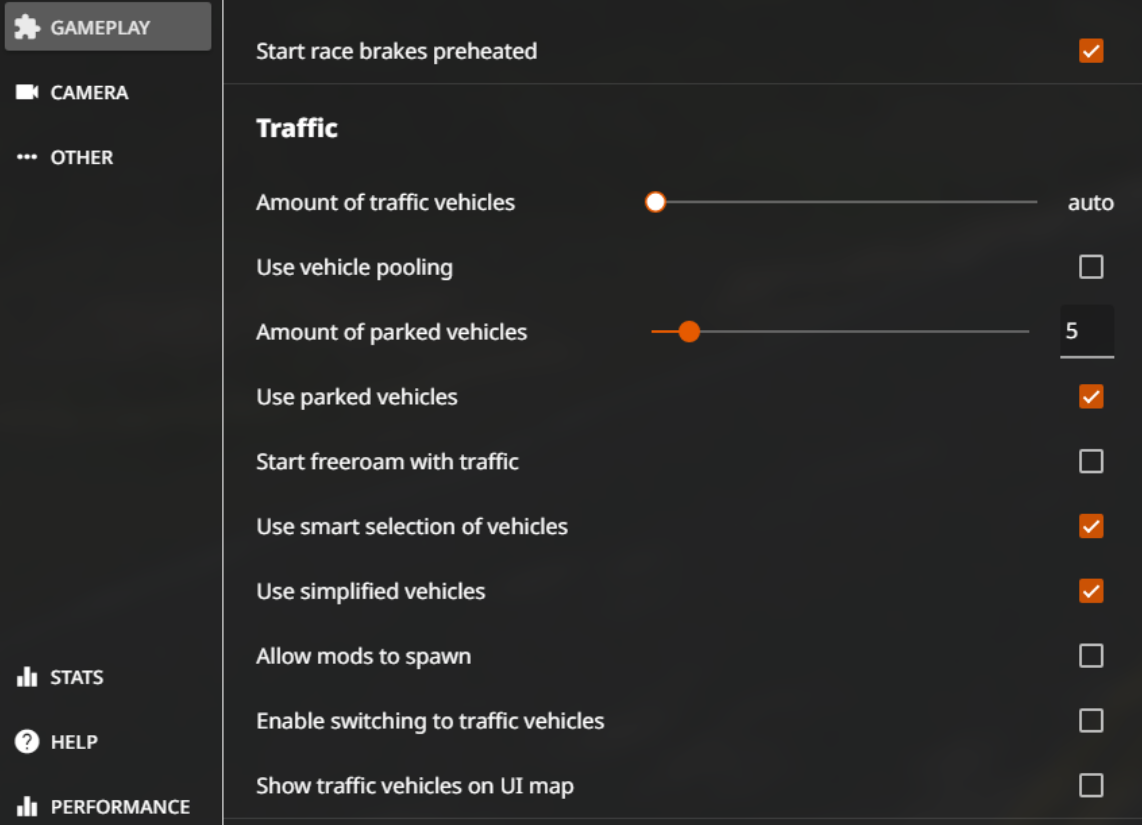
When using the Radial Menu to create traffic, it will use your settings from Options -> Gameplay.
For example:
Use vehicle poolingspawns and cycles through a larger group of vehicles, at the cost of loading time and memoryUse parked vehiclescan spawn on maps that contain parking spots data
AI Control App
This app offers several settings to tweak the AI behavior. This app is mainly for advanced users and developers.
Learn how to add this app to your UI in the
User Interface page.
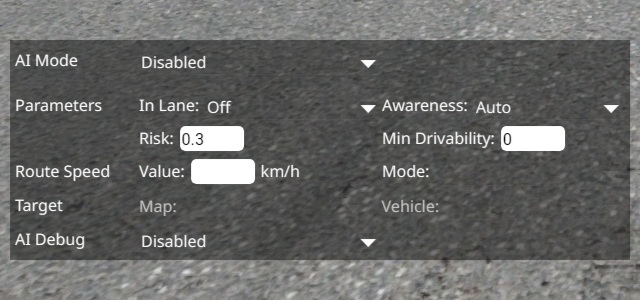
The AI modes will be applied only to the vehicle it has been activated on.
Traffic App
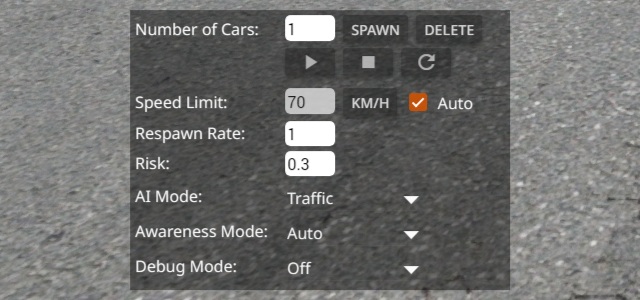
Like the AI Control App, this app offers several settings for the Traffic mode. This app is mainly for advanced users and developers.
Learn how to add this app to your UI in the
Edit the UI page.
AI Modes
Description
The AI will drive on random routes (if any are available)
Description
The AI will try to catch the player. At least two vehicles are needed
Description
The AI will try to escape the player. At least two vehicles are needed
Description
The AI will try to follow the player, keeping a distance. At least two vehicles are needed
Description
Allows the AI to drive to a determined position
Description
The AI will stop, disabling any AI mode
Description
The vehicle will travel semi-randomly, favoring unexplored areas for greater path variety
Description
The vehicle will travel randomly following the traffic rules
AI Debug Modes
These options are only meant for debugging purposes.
Description
Draws a red dot that indicates the current target of the AI
Description
Provides the planned speeds and route to be taken by the AI vehicle
Description
Provides the detailed driving line actually taken by the AI vehicle
Description
Indicates the map path and destination of the AI
Check out
this forum post for more details.
Last modified:
November 29, 2024
Was this article helpful?


