





- Posted by:
- Posted on:
- Category:
BeamNG.driveBeamNG.drive - System:
Unknown - Price:
USD 0
Incorrect Language in Launcher
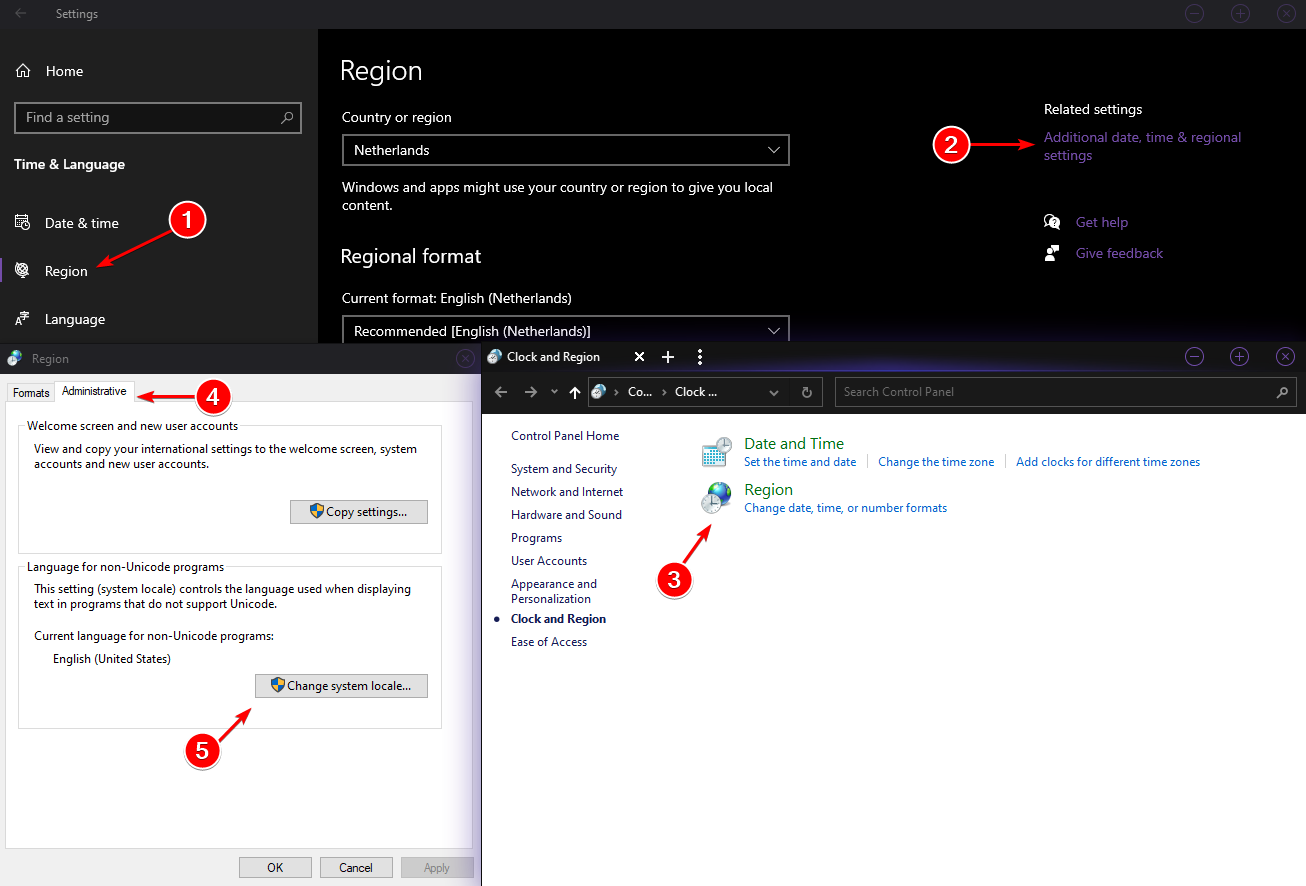
If your launcher is displayed in an incorrect language please check your Language for non-Unicode programs setting in Windows.
You do this by following these instructions:
- Navigate to
Windows Settings->Time and Language - Open Region tab
- Under Related settings select
Additional date, time & regional settings - Select
Region - Open
Administrativetab - Change language if needed
Last modified:
September 18, 2024
Was this article helpful?


