





- Posted by:
- Posted on:
- Category:
BeamNG.driveBeamNG.drive - System:
Unknown - Price:
USD 0
Automatic Data Migration
When a new version of the game is detected, the game launcher takes care of migrating some files from the previous version to the new one.
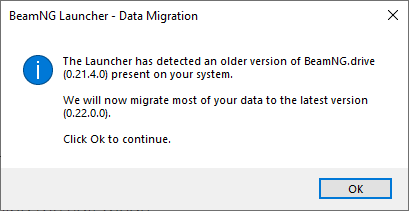
Launcher message when a new version is detected
The data that is transferred automatically includes:
Description
Contains all mods, including repository downloads
Description
Replays recorded and saved in-game
Description
Screenshots taken in-game
Description
The user settings, including Controls settings
Description
Track Builder related files
Description
Only the user-made vehicle configuration (.pc and corresponding .jpg files)
If you don’t have enough free space on your disk, the data migration process may fail.
Manual Data Migration
If for any reason, the data migration process was not successful, you can perform a manual data migration with the following steps:
- Open
Launcherand navigate toManage User Folder - Click on
Manage backups - Find a necessary version and click on it
- Click on
Open backup folder - Transfer the files from old version folder to the new one
DO NOT MOVE all files at the same time
Last modified:
September 17, 2025
Was this article helpful?


