




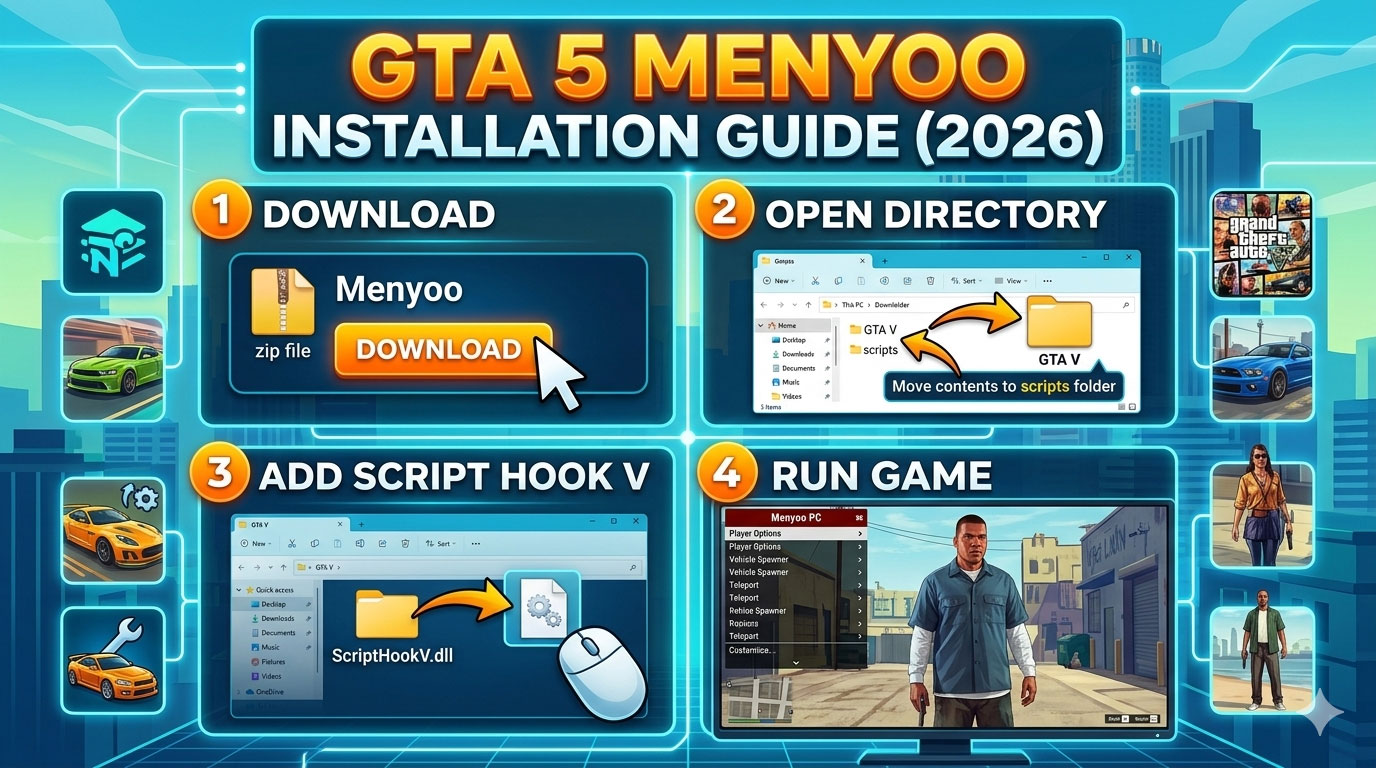
If you want to unlock the full sandbox potential of Grand Theft Auto V, installing the Menyoo mod menu is one of the best decisions you can make. From spawning vehicles and peds to creating custom scenarios and cinematic scenes, Menyoo transforms GTA 5 into a powerful playground.
This comprehensive guide will teach you exactly how to install Menyoo in GTA 5 on PC, step by step, with zero confusion. Whether you are a beginner or an experienced modder, you will find everything you need here — including requirements, troubleshooting, compatibility notes, safety tips, and optimization advice.
⚠️ Important: Menyoo is for GTA 5 Story Mode (Single Player) only. Never use it in GTA Online.
What Is Menyoo in GTA 5?
Menyoo PC is a single-player trainer and mod menu for GTA 5 developed by MAFINS. It allows players to:
-
Spawn vehicles, objects, and NPCs
-
Change player model (play as animals, story characters, etc.)
-
Teleport anywhere on the map
-
Modify weather and time
-
Create custom maps and scenarios
-
Control AI behavior
-
Use advanced object spooner features
-
Record and replay scenes
It is one of the most powerful and stable trainers available for GTA 5 PC.
System Requirements for Menyoo
Before installing Menyoo, make sure:
-
You are playing GTA 5 on PC
-
The game is updated to the latest version
-
You have access to your GTA 5 root folder
-
You are comfortable copying files into directories
Menyoo does not work on:
-
PlayStation (PS4/PS5)
-
Xbox (One/Series)
-
GTA Online
Files Required Before Installing Menyoo
To install Menyoo properly, you must first install two essential tools:
1️⃣ Script Hook V (Required)
Script Hook V allows custom scripts (like Menyoo) to run in GTA 5.
Without Script Hook V, Menyoo will NOT work.
2️⃣ ScriptHookVDotNet (Recommended)
While Menyoo itself does not strictly require ScriptHookVDotNet, many other mods do. Installing it ensures future compatibility.
3️⃣ Menyoo PC
The main mod menu files.
Step-by-Step: How to Install Menyoo in GTA 5 (2026)
Follow these steps carefully.
Step 1: Locate Your GTA 5 Main Directory
You must find your GTA 5 installation folder.
Steam Version Default Location:
C:\Program Files (x86)\Steam\steamapps\common\Grand Theft Auto V
Epic Games Version:
Rockstar Launcher Version:
C:\Program Files\Rockstar Games\Grand Theft Auto V
Your main directory should contain files like:
-
GTA5.exe
-
PlayGTAV.exe
-
update folder
This is called the root folder.
Step 2: Install Script Hook V
-
Download Script Hook V from the official source.
-
Extract the ZIP file.
-
Open the extracted folder.
-
Copy these files:
-
ScriptHookV.dll -
dinput8.dll
-
Paste them into your GTA 5 root folder.
That’s it.
⚠️ Important: Every time GTA 5 updates, Script Hook V must also be updated.
Step 3: Install Menyoo
Now it’s time to install the actual mod menu.
-
Download Menyoo PC.
-
Extract the ZIP file.
-
Inside, you will find:
-
Menyoo.asi -
menyooStufffolder
-
Copy both items.
-
Paste them into your GTA 5 root directory.
Your folder should now contain:
GTA5.exe ScriptHookV.dll dinput8.dll Menyoo.asi menyooStuff (folder)
Installation is now complete.
How to Open Menyoo in GTA 5
-
Launch GTA 5 normally.
-
Enter Story Mode.
-
Press F8 on your keyboard.
If installed correctly, the Menyoo menu will appear.
First-Time Setup Tips
When opening Menyoo for the first time:
-
Go to Settings
-
Configure menu controls if needed
-
Adjust menu position
-
Set hotkeys if desired
-
Enable controller support (optional)
Understanding Menyoo Features
Menyoo is much more than a basic trainer. Here is a breakdown:
Player Options
-
Change model
-
God mode
-
Super jump
-
Explosive melee
-
Invisibility
-
Unlimited stamina
Vehicle Options
-
Spawn any vehicle
-
Customize vehicle mods
-
Turn on turbo boost
-
Set vehicle invincibility
-
Change number plate
-
Save custom vehicles
Weapon Options
-
Explosive bullets
-
Infinite ammo
-
No reload
-
Weapon tint change
-
Remove recoil
Weather & Time
-
Set time to night/day
-
Change weather instantly
-
Enable snow
-
Lock time
Object Spooner (Advanced Feature)
The most powerful feature in Menyoo.
It allows you to:
-
Spawn objects anywhere
-
Create custom maps
-
Attach props to vehicles
-
Build race tracks
-
Save and load map creations
Perfect for content creators and machinima makers 🎬
How to Update Menyoo After GTA 5 Patch
When GTA 5 updates:
-
GTA may crash on startup.
-
Script Hook V becomes outdated.
-
Wait for the new Script Hook V version.
-
Replace old ScriptHookV.dll and dinput8.dll.
Usually, Menyoo itself does not require updates frequently.
Common Problems and Fixes
Menyoo Not Opening (F8 Not Working)
✔ Make sure you are in Story Mode
✔ Check Script Hook V is updated
✔ Confirm Menyoo.asi is in root folder
✔ Disable antivirus temporarily
GTA 5 Crashing on Startup
✔ Script Hook V outdated
✔ Wrong installation folder
✔ Mod conflicts
Game Loads but Menu Doesn’t Appear
✔ Reinstall Script Hook V
✔ Check keyboard layout
✔ Ensure you’re not in GTA Online
Is Menyoo Safe?
Yes — if used properly.
Safe Usage Rules:
-
Never use in GTA Online
-
Download from trusted sources
-
Keep backups of your GTA folder
-
Disable mods before playing Online
To disable Menyoo temporarily:
-
Remove
dinput8.dll
OR -
Move mod files to another folder
How to Completely Uninstall Menyoo
If you want to remove it:
-
Delete:
-
Menyoo.asi -
menyooStufffolder -
ScriptHookV.dll -
dinput8.dll
-
-
Launch the game normally.
No permanent changes are made to the game files.
Advanced Tips for Power Users
Create Cinematic Scenes
Use:
-
Object Spooner
-
Time freeze
-
Weather control
-
Animation options
Perfect for YouTube creators.
Save Custom Maps
Inside Spooner:
-
Save to XML
-
Reload anytime
-
Share with friends
Combine With Other Mods
Menyoo works well with:
-
LSPDFR
-
Visual mods
-
Vehicle packs
-
Character mods
Always check compatibility.
Performance Optimization
If GTA 5 lags after installing mods:
-
Lower graphics settings
-
Avoid spawning too many objects
-
Close background apps
-
Install mods on SSD
-
Increase virtual memory
Menyoo itself is lightweight and does not reduce FPS significantly.
Frequently Asked Questions (FAQ)
Can I get banned for using Menyoo?
Not in Story Mode.
Yes, if you use it in GTA Online.
Does Menyoo work in 2026?
Yes, as long as Script Hook V is updated.
Why does GTA crash after update?
Script Hook V needs an update.
Can I use Menyoo with controller?
Yes, configure controls in settings.
Is Menyoo better than Simple Trainer?
Menyoo offers more advanced features like Object Spooner, making it superior for creative builds.
Final Thoughts: Should You Install Menyoo?
If you love experimenting in GTA 5 Story Mode, Menyoo is absolutely worth installing.
It gives you:
-
Total gameplay control
-
Creative freedom
-
Unlimited sandbox possibilities
-
Cinematic tools
-
Custom map building
And best of all — it’s free.
By following this guide step by step, you now know exactly how to install Menyoo in GTA 5 without errors, crashes, or confusion.
Enjoy modding responsibly and keep your Online mode clean 🚀